
Showing results 41-50 of 143 for digital materials
Search results
-
Presentation
2:45PM – 3:45PM ET on Wednesday, January 27, 2021
In this session, we'll introduce an openly available protocol for evaluating the accessibility of created or curated OERs in a number of formats (Word and Google documents, PDFs, videos, and more).
-
Presentation
1:15PM – 2:15PM ET on Tuesday, January 26, 2021
In this session, you will explore some of the advantages of publishing to the EPUB format, how to acquire and read accessible content with a number of free and low cost tools, and how to get started creating your own accessible publications.
-
Presentation
Saturday, November 28 – Tuesday, December 1, 2020
In this poster session, participants will use tools to perform a “mini-audit” of their websites. The mini-audit will give participants a sense for the accessibility of their websites.
-
Webinar
2:00PM – 3:00PM ET on Tuesday, November 10, 2020
In part 3 of this three-part webinar series, you’ll learn how you and your team can take basic documents created in Google Docs and Microsoft Word and easily convert them to EPUB format.
-
Presentation
4:15PM – 5:00PM ET on Thursday, November 5, 2020
Learn how to apply the POUR principles of accessible design to revise course materials and make them more inclusive in order to increase participation and representation in the cybersecurity field.
-
Presentation
4:30PM – 3:30PM ET on Thursday, October 29, 2020
Learn five simple techniques educators can implement to ensure the content they share with learners and their families is accessible and inclusive from the start.
-
Presentation
3:10PM – 4:00PM ET on Wednesday, October 21, 2020
Join us to learn tips and tricks from our experts including gaining a better understanding of how to increase accessibility for all participants and users, including those with disabilities.
-
Webinar
2:00PM – 3:00PM ET on Tuesday, October 20, 2020
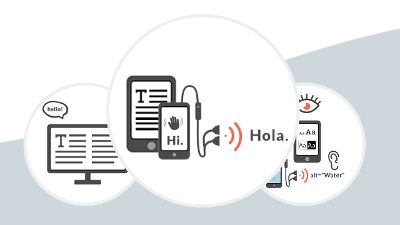
Learn about the built-in features of reading systems that allow learners to personalize and customize their experiences once they have downloaded a high-quality, accessible EPUB title. Part 2 of a 3-part series from the AEM Center at CAST.
-
Webinar
2:00PM – 3:00PM ET on Tuesday, October 13, 2020
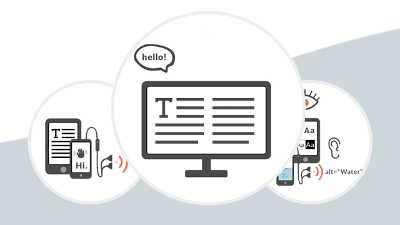
In part one of this three-part webinar series, you will get to know EPUB, a format for creating accessible, customizable, and adaptable publications and documents (from textbooks to student-created stories and more).
-
Webinar
2:00PM – 3:00PM ET on Tuesday, September 22, 2020
Learn about the many accessibility features built into Chromebooks and how they can be used to support instructional practice.