
Showing results 81-90 of 143 for digital materials
Search results
-
Learn how to improve the accessibility of your documents, including presentation slides, for users with disabilities. This module shows you how to add text descriptions for images, provide flexible navigation options, check for color contrast, and more.
-
Captioned videos not only improve accessibility for people with disabilities, they have far ranging learning and literacy benefits. Learn how to locate high-quality, accessible videos to support learning, and how to create your own.
-
Whether you are independently selecting a digital material or a member of a procurement committee, you are in a position to prioritize accessibility. Learn best practices for identifying accessibility features and what to look for in procurement policies and procedures.
-
Many students with disabilities encounter barriers when using text-based materials, whether in print or digital. Learn about the actions that need to be taken so that learners who need accessible formats of these materials receive them with high quality and in a timely manner.
-

The AEM Center's Online Learning Series consists of five modules to help individuals or teams select, create and acquire accessible materials and technologies for everyone who needs them to support their learning and employment goals.
-
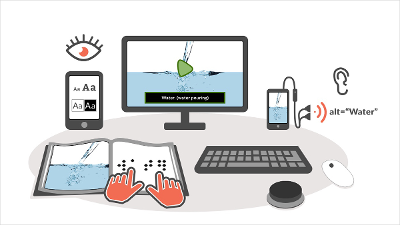
Get practical tips and resources for developing accessible content that is Perceivable, Operable, Understandable and Robust (POUR).
-
Learn how to make your educational materials more perceivable by adding alternative text for images, captions for videos and more.
-
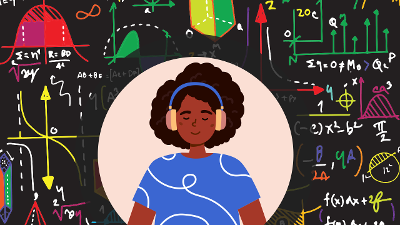
Given the rapid advancement of technology and the urgency of applying scientific solutions to global challenges, all learners need access to STEM education. Creating accessible materials is one way to reduce those barriers so that all learners can participate and choose to advance in STEM fields.
-

Discover how a teacher of students with visual impairments (TVI) negotiates and collaborates within a school system to support a student who uses accessible materials and assistive technology.
-
The UDL Product Certification, developed in partnership with Digital Promise, is designed to evaluate how strongly an edtech product’s design is aligned to the UDL framework. Products must provide transparent communication about accessibility practices and conformance to customers, and must align to the UDL Guidelines, demonstrating how the product’s design features provide multiple ways for learners to engage with the learning experience, access the learning materials, and express their knowledge and skills.